
In a case study by Martina Majrichová, you'll learn how she used Feed Image Editor for successful Astratex campaigns.
Astratex.cz and its international versions are among the leaders in online lingerie sales. It's not just about volume or turnover. The brand has a strong base of loyal customers, high awareness, and is perceived as a trustworthy brand with lifestyle appeal.
When managing performance campaigns, I faced one of the most fundamental questions every performance marketer deals with:
How do you get a user to stop, click, and buy?
DPA ads on Meta excel at personalization, but they often lack clear context. An image of a bra on a white background might fit nicely into a carousel, but it doesn't prompt the user to take any action on the e-shop. It gives no reason to buy the product right away, doesn't highlight what makes it special, or why the customer needs it.
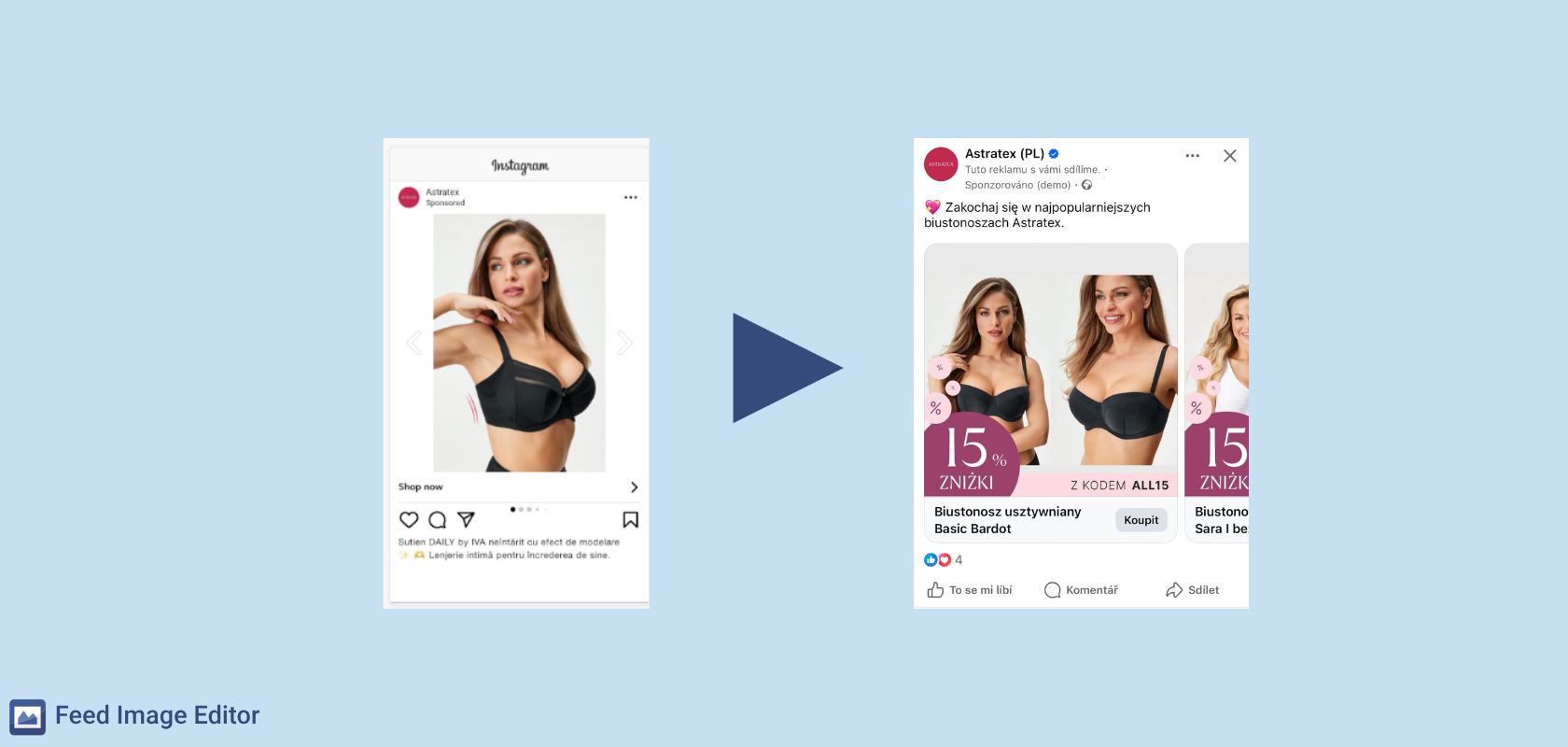
Behavioral design in practice
That's why, before launching every campaign, I think about how our customers behave and how to capture their attention. In practice, this means making the visuals and copy work with people's motivations – for example, fear of missing out, the need for reassurance, or the desire for a good deal – without ever feeling pushy.
The layering of frames I'll describe isn't just about where to stick a discount badge. It's a small architecture of decision-making (a quick piece of information at the right moment that can turn a scroll into a click). By combining layers, I can appeal to different motivations at once. Some people respond to a discount, others to reassurance, and others to exclusivity.
And the best part? This logic scales effortlessly – across languages, budgets, and markets – without breaking visual consistency or slowing down deployment.
FUN FACT 💡
According to research by Nielsen, the visual side of an ad accounts for up to 47% of its overall marketing success. This shows just how important it is to work with graphic design and templates. Experience from other e-commerce projects also shows that even small visual tweaks, such as a simple frame around the product, can significantly improve ad performance.
Feed Image Editor as a creative tool, not just an add-on
To turn these motivations into profitable clicks, Feed Image Editor was a huge help. Over time, it became a tool with much broader use than just adding discount badges. I built a multi-layered visual structure within it that responds in real time to changes in price, availability, seasonality, and marketing goals.
I designed a hierarchy of frames with clear priorities:
- Campaign frame – the most important message: discount, coupon, free shipping. It has the highest priority.
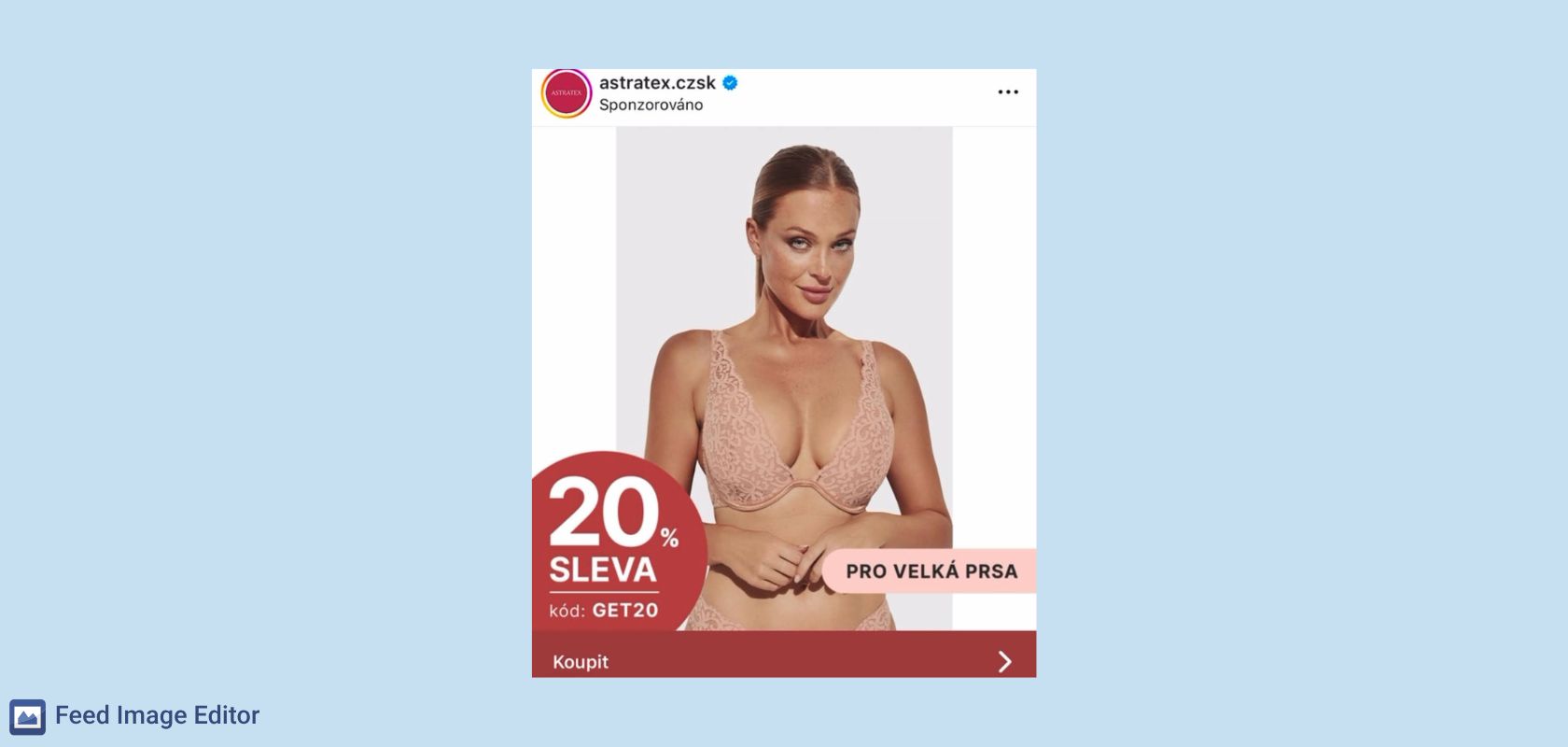
- Product frame – adds context: reviews, benefits, USPs, seasonal or availability information.
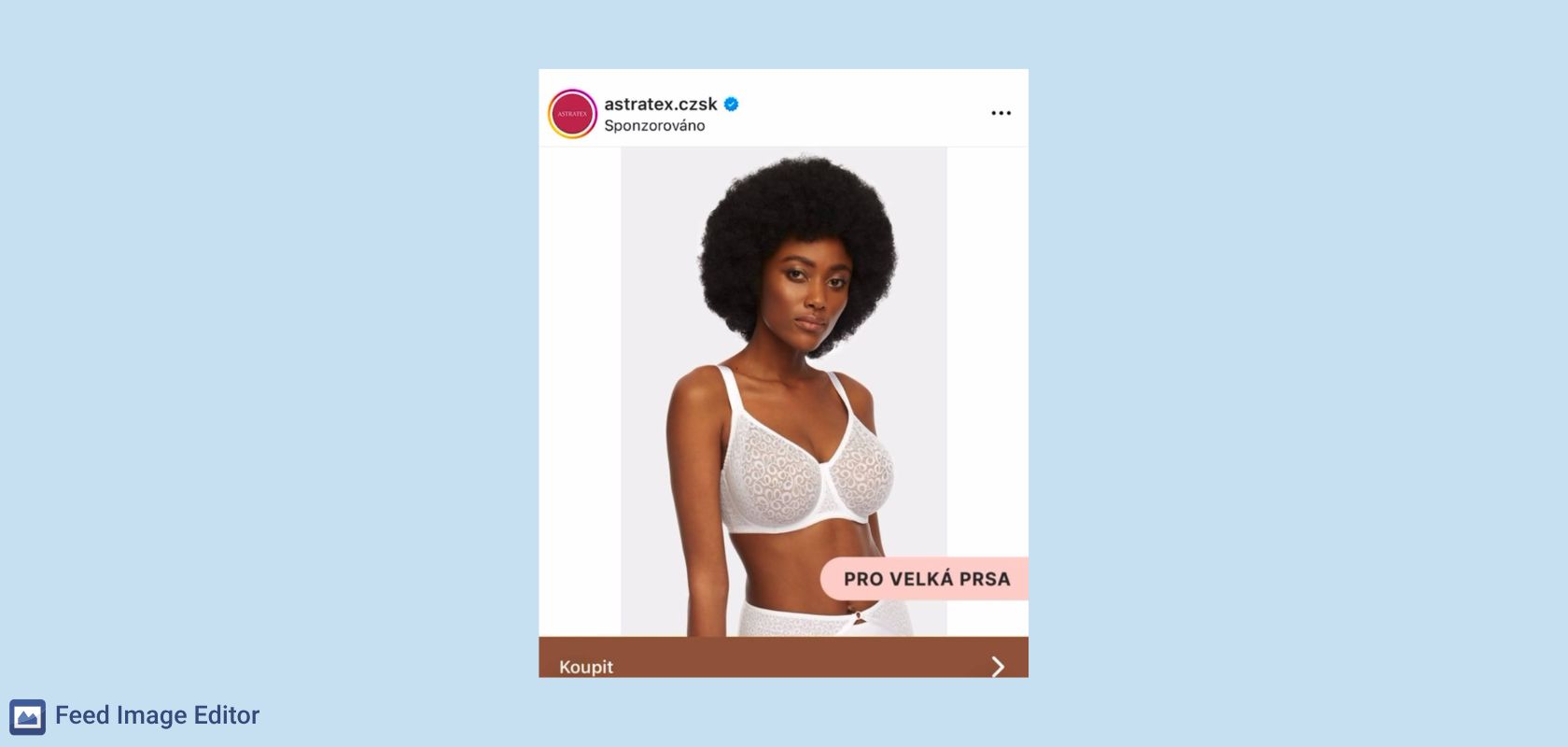
- Brand frame – ensures a consistent brand look outside of promo periods.
These layers automatically override one another based on product selections and template activity settings. Each product always carries only the most essential message, without unnecessary clutter.
Here are three specific strategies behind why our clicks work. 👇
1. Short-term boost in practice: testing with a promo layer
Some things simply call for a test. For the first two days, I let the campaign run with only the standard USP frames. Then I applied a promo layer with a coupon to part of the assortment, while the rest of the products kept their original USPs.
May 19–20 – only USP frames deployed, no discount
May 21–22 – promo frame on part of the assortment (discount on non-padded bras), the rest kept their USPs

Result:
- Relevance shot up
Adding the promo layer increased the click-through rate by +27%. Users noticed the "discount on non-padded bras" message faster and clicked more often.
- Spending efficiency improved
ACoS (ad spend ratio) dropped by 10%, even though the discount only applied to part of the catalog.
- The USP frame served a protective function
Products outside the promotion still carried a relevant message (comfort, material, made in the EU), so the CTR drop outside the promo was minimal. As a result, the campaign didn't lose momentum once the promotion ended.
2. Not every Sunday is the same
Now picture a Sunday – the classic kind, where the campaign runs with just the standard USP frames. A week later, however, I deployed a promo coupon valid on a selected assortment within that same ad. The rest of the products got a subtle fallback – a coupon layer with a general message ("voucher coupon"). So I had two active promotions running, and I communicated both effectively within the same live DPA campaigns.
What happened?
- Adding the layered coupon increased CTR by 6% and cut ACoS by almost 40%
A clear promotional hook ("discount on bras" + "coupon worth XY") attracted extra attention.
- Significantly better spending efficiency.
The campaign scaled without eroding margin.
- Coupon frames = a quick "boost" without turning off the USP logic
Thanks to the layer hierarchy, the coupon could override the USP for just one day; once the promotion ended, the original benefits automatically returned and the campaign kept running without any manual work.
3. I love night shopping
During a short-term boost for Nightshopping, I tested the performance of an Advantage+ campaign with a promo frame against a long-running campaign that only displayed USPs.
An event like this calls for more than double the budget of a normal day. We're talking hundreds of thousands of crowns. That means I not only have to scale the campaign quickly, but also maintain efficiency at the same time. My goal isn't just to increase reach, but also to get the most out of it with a better ACoS than usual. Otherwise, a budget swing like that wouldn't make sense.
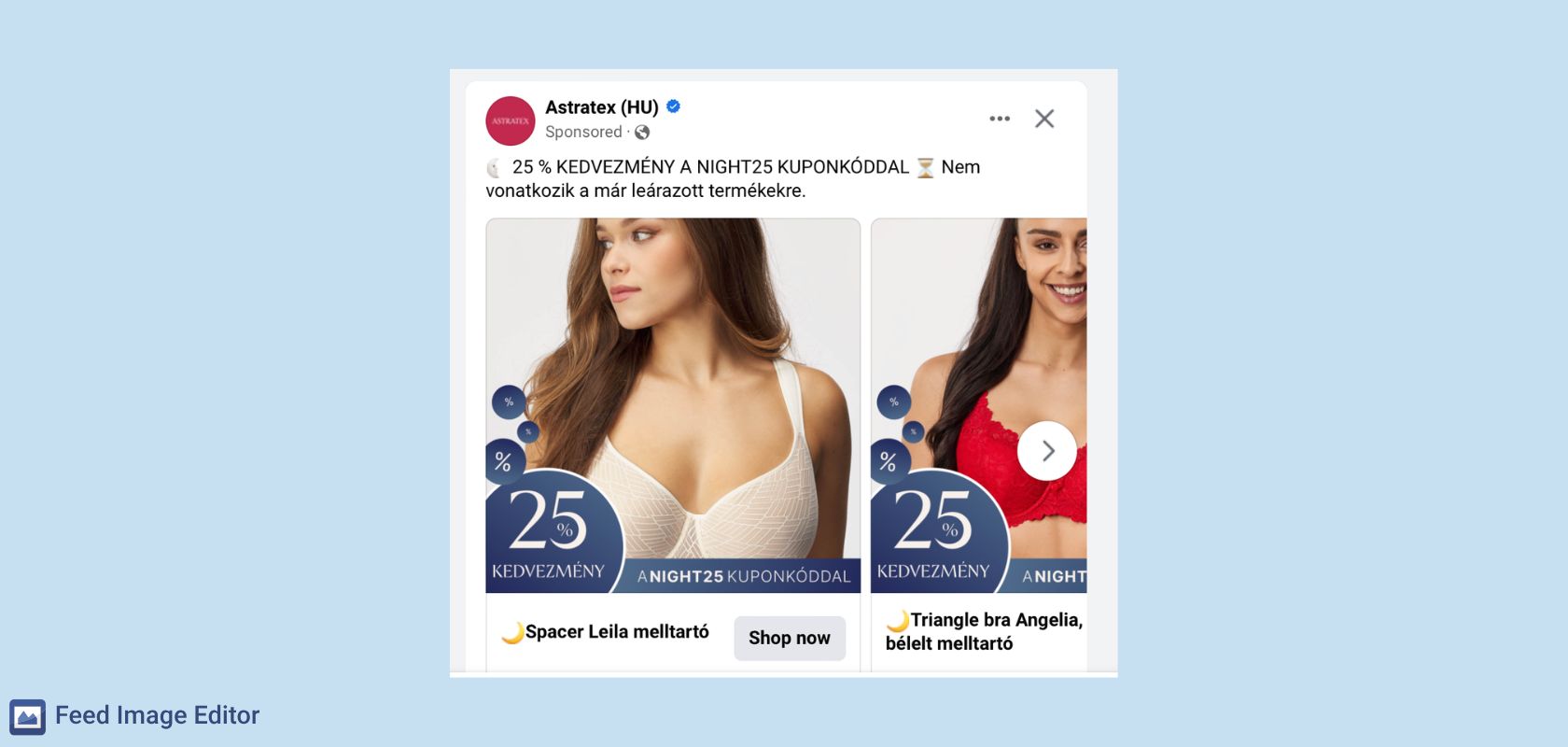
Within 12 hours, the promo variant delivered:
- double the CTR
- a third lower cost per click
- stable ACoS even while rapidly increasing the budget
Frames proved to be a fast, margin-safe way to get the most out of short promotional windows.
Campaign design that adapts in real time – our recommendations for e-shops:
- Start with a simple scheme: USP → promo → fallback
- Set up priority logic so the system knows how to decide
- Work with selections in Mergado – that's where you determine what the user sees and when
- Track performance by frame (template) – every selection is a small A/B test
- Don't be afraid to test repeatedly: different USPs, visuals, and colors
- Products in your feed aren't just data. They're a story you can actively shape.
Working with Feed Image Editor lets me easily scale ads across all language versions. At the same time, thanks to dynamic updates of price, shipping, or adjustments for season and current goals, it saves me a lot of time. I've come to understand that for Meta ads, it's not enough to just have a well-edited source image – you also need to work on building templates. I'd recommend this handy Mergado extension on behalf of Astratex.

Add new comment